
Solo real estate agents’ listing marketing is the work of turning verified property details into publishable assets so you can present a listing consistently across channels. AI tools for real estate agents help with that production work; for your first listing, choose a workflow that creates a whole branded marketing pack from one pasted link, not just a single post.
- Propertylaunch is best for solo agents who want a branded listing marketing pack from one property link.
- Choose AI tools for real estate agents around listing marketing outputs, not isolated caption generation.
- Verify property facts before generating social posts, flyers, emails, and videos.
- Compare complete workflows, including editing and review, rather than judging one attractive sample.
Why listing marketing matters for solo agents
A solo agent handles both the listing and its promotion. A flyer needs readable property details. An Instagram caption needs a clear opening. An email needs enough context for someone who has not seen the social post. Rewriting each piece separately creates more places for details to drift.
Propertylaunch centers its listing marketing workflow on one property link. That is the useful distinction when you compare tools in 2026: whether they help produce the full set of materials you need, rather than another isolated draft.
Choose the workflow by the finished pack, not the first image. A polished post is not a complete launch if you still need to write the email, assemble the flyer, and prepare the video separately.
For your first listing, keep the task narrow. Use one property, verify its facts, create the materials, and review each output before publishing. That gives you a clear basis for deciding whether the workflow fits your work.
Build your first listing pack
1. Define the pack before choosing a tool
Start manually with a short checklist. Write down where you actually plan to promote this property, then name the asset each channel requires. Do not generate extra formats simply because a tool offers them.
For a hypothetical listing, your pack might include an Instagram post, a Story, a flyer, a caption, an email, and a video. Those are 6 output types, but each has a different job. The flyer should work as a standalone property summary; the email should explain why the recipient is receiving it and what to do next.
Decide which details must remain consistent across the pack. These include the property address, agent identity, confirmed features, and the intended next action. Decide separately which wording should change by channel.
Your starting checklist should include:
- Audience: Identify who should receive the material without describing a preferred type of resident.
- Channels: Select the places where you intend to publish or send it.
- Outputs: Name the actual files or copy you need.
- Next action: Choose a clear, accurate invitation, such as requesting property details.
- Approval: Identify any brokerage review required before publication.
2. Verify the source listing before generating anything
Open the property listing and compare it with your current approved information. Correct the source where you control it. Otherwise, keep a separate note of corrections that every finished asset must reflect.
An accessible listing link is not proof that every statement on the page is current. Check the address, property features, photos, and descriptive claims. Confirm that you have permission to use the images and other materials in your marketing.
For a hypothetical listing with a patio, describe the patio if the source confirms it. Do not let generated copy turn that feature into an outdoor kitchen or an unverified renovation. Attractive wording cannot repair an inaccurate detail.
Build a reusable 2026 source checklist, but complete it separately for every property. A previous listing’s facts should never become the default for the next one.
Before you proceed:
- Confirm facts: Match property details against your approved source.
- Check photos: Remove images you cannot use or that misrepresent the property.
- Review claims: Flag unsupported statements about condition, views, or improvements.
- Check identity: Confirm the agent and brokerage information you need to display.
- Record corrections: Keep one clear list instead of scattered editing notes.
3. Create the whole pack from the listing link
The manual route is to copy the approved facts into separate drafts, assemble each design, and write the accompanying copy. That gives you direct control, but you carry the information between formats yourself.
Propertylaunch offers a faster production path: paste a property listing link to create branded Instagram posts, Stories, flyers, captions, emails, and videos within about a minute. The product’s unit of work is a listing marketing pack, not just a single social post.
Treat about 60 seconds as the generation time described for the product, not a promise that your listing is ready to publish. Source checks, your edits, brokerage review, and distribution remain separate tasks.
Use this sequence: Verify facts, Create pack, Review assets. Keeping review after generation makes the distinction between a draft and an approved marketing asset explicit.
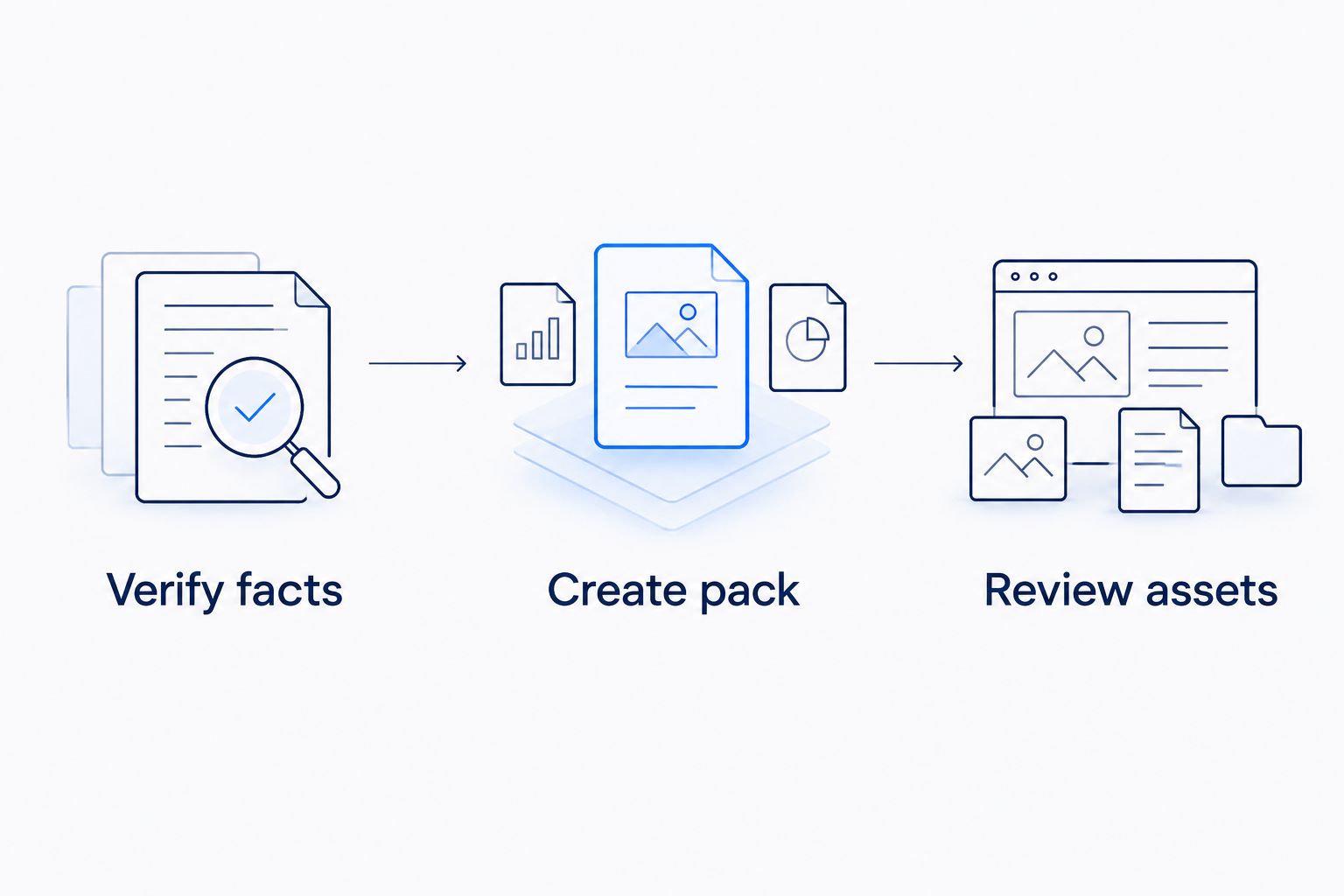
Use your first property to assess the workflow rather than assuming every generated output fits your needs. Review the actual materials together, including the less visible pieces such as email copy and captions.
For your first generation:
- Use one listing: Keep the initial task focused on a single property.
- Paste the link: Start from the listing whose facts you have checked.
- Inspect the pack: Review the outputs relevant to your channel checklist.
- Separate drafts: Keep generated materials distinct from approved versions.
- Note changes: Record what needs correction before you distribute anything.
4. Edit each output for its channel
The manual editing method is straightforward: place the outputs beside your source notes and review them individually. Reuse confirmed facts, but do not force identical wording into every format.
A social post needs a readable main message. A Story needs text that makes sense in its visual sequence. A flyer needs enough context to stand alone. An email should identify the property and explain the next step without requiring someone to open another channel first.
Hypothetical listing example: the approved source confirms a covered patio. A caption can introduce that feature in a sentence. A flyer can include it in a concise feature list. An email can mention it while inviting the recipient to request more information. None should add a claim about its dimensions or construction date without a source.
For your 2026 pack, edit the format and wording separately from factual corrections. That keeps a shorter caption from accidentally becoming a different property description.
Check the following:
- Instagram post: Keep the main property message readable.
- Story: Check the sequence and whether each frame makes sense.
- Flyer: Review property details and contact information at the intended viewing size.
- Caption: Remove filler and keep one clear next action.
- Email: Give the recipient enough context without copying the entire listing description.
- Video: Review visible text, images, and any spoken claims before use.
5. Review accuracy, branding, and compliance together
Start with a side-by-side review: the approved property source on one side, the finished assets on the other. Read the small text, not just the headline. Check the complete email and video, not only the preview.
Look for contradictions across outputs. A corrected feature in the flyer must also be corrected in the caption, email, and video wherever it appears. A marketing pack is useful only when its parts describe the same property accurately.
For US agents, review housing language under applicable fair housing rules and your brokerage’s requirements. Describe the property rather than the kinds of people you think should live there. Do not treat generated wording as compliance approval.
Branding also needs a practical check. Confirm that the finished materials identify you correctly and that required brokerage information is present. Consistent appearance does not compensate for an incorrect contact detail.
Before approval:
- Match facts: Compare every substantive property claim with your approved source.
- Check identity: Inspect agent, brokerage, and contact details across formats.
- Review language: Remove unsupported claims and language about preferred residents.
- Inspect usability: Check cropping, text readability, and video content.
- Follow approvals: Complete any required brokerage review before distribution.
6. Publish deliberately and keep an approved set
Without a dedicated process, it is easy to send an earlier draft after correcting the final version. The manual solution is a clearly labeled folder containing only approved assets, with draft material kept elsewhere.
Choose the publishing order around your actual plan. Prepare the email and flyer before announcing that those materials are ready. Check any destination or contact instruction included in the copy before the audience receives it.
Keep a simple record of what you published and where. When a property detail changes, that record tells you which materials need review. Updating the source alone does not establish that every exported or published asset has changed.
For your first 2026 listing pack, judge completion by readiness to use, not by the number of generated files. A smaller approved set is more useful than a larger folder of unreviewed drafts.
Close the workflow with:
- Separate versions: Keep approved assets away from working drafts.
- Check destinations: Test the contact instructions and destinations you include.
- Record distribution: Note which channels received each asset.
- Track corrections: Identify every output affected by a changed detail.
- Keep a checklist: Reuse the process for the next listing, not the previous property’s facts.
Compare listing marketing options in 2026
Compare the work that remains after you choose an option. A design-led workflow, a listing-focused tool, and a hired provider solve different parts of the task. None removes your responsibility to approve the property information.
| Option | Best for | Practical advantage | Key limitation |
|---|---|---|---|
| Canva plus self-written captions | Agents who want to assemble designs and wording themselves | You control the layout and write the message directly | You still assemble the pack and maintain consistency between outputs |
| Propertylaunch | Solo agents who want listing marketing assets from one pasted link | Creates branded posts, Stories, flyers, captions, emails, and videos within about a minute | Generation does not replace factual checks, editing, or required approvals |
| Other real estate marketing apps | Agents evaluating a particular listing workflow | You can assess each app against the same required-output checklist | Features differ; verify the outputs and workflow before choosing |
| Hiring a marketing provider | Agents who want to delegate production work | You can agree on a brief, deliverables, and review responsibilities | You still need to supply accurate information and approve the work |
Choose the option that leaves you with the least unfinished work for your actual pack. If you enjoy designing and writing, manual production keeps those decisions with you. If moving the same listing details between formats is the problem, compare tools on the complete output set.
When hiring someone, specify the deliverables rather than asking vaguely for listing marketing. When evaluating software, inspect the actual output rather than assuming a feature name describes everything you need.
Common mistakes solo agents make
Choosing a caption tool when you need a pack
A caption draft does not give you a flyer, Story, email, or video. Start with the deliverable checklist so you compare tools against the job you need finished.
Treating generation time as launch time
Fast production and approved publication are different milestones. Keep time for source verification, asset review, and any required approval instead of skipping them because the draft appeared quickly.
Letting the copy improve the property
Generated wording should explain confirmed features, not add them. If the source says patio, do not approve language that introduces an outdoor kitchen, a recent renovation, or another unsupported feature.
Fixing only the most visible asset
Correcting an Instagram post does not correct an email or flyer. Review the whole pack whenever a factual detail changes, including materials already prepared for distribution.
Buying before defining the first task
Do not evaluate every possible marketing feature at once. Choose one listing and its required outputs, then assess whether the workflow helps you finish that task with acceptable editing work.
Create your first listing pack
Start with one verified listing link for branded posts, Stories, flyers, captions, emails, and videos.
FAQ
What are the best AI tools for real estate agents doing their own marketing?
The best fit is a tool that produces the outputs your listing actually needs. Propertylaunch suits solo agents who want branded posts, Stories, flyers, captions, emails, and videos from one pasted property link.
Can I create a whole listing marketing pack from one link?
Yes. The described workflow turns a pasted property listing link into a branded marketing pack within about a minute. Review the generated materials before publishing.
Is a listing marketing tool better than Canva?
The better choice depends on the work you want to do yourself. Canva plus self-written captions suits a hands-on design-and-writing workflow; a listing-link workflow suits agents seeking a generated pack across several formats.
Do AI tools verify the property details for me?
Do not treat generated marketing as verification of property facts. Compare every substantive claim with your approved listing information and correct discrepancies before use.
How long does my first listing pack take?
The product description gives a generation time of about a minute. Preparing the source, reviewing the outputs, making edits, and completing required approvals are separate tasks.
What should I check before publishing listing marketing in 2026?
Check property facts, image permissions, contact details, readable layouts, and applicable brokerage and fair housing requirements. Review every output, including email copy and video content.
Will AI-generated listing marketing guarantee leads or a sale?
No. Generating marketing assets does not guarantee leads or a sale. Evaluate the tool on whether it helps you prepare accurate, usable listing materials.
One last thing
Before you close your first 2026 listing pack, search every asset for one distinctive property feature. Compare how the caption, flyer, email, and video describe it. This focused check gives you a concrete way to catch wording that has drifted beyond the approved facts.
Finish one accurate pack before expanding the workflow. Your next listing can reuse the checklist. It should never inherit the previous property’s details.